
Views: 0 Author: Site Editor Publish Time: 2026-05-08 Origin: Site
If you want your drone battery to last longer, focus on a few simple habits. Charge your battery fully and check for charging issues before every flight. Many people notice their battery drains fast when flying indoors with poor GPS or against the wind. Watch out for these common mistakes:
Flying in bad weather or against the wind drains power quickly.
Not keeping an eye on flight time or battery level can leave you stranded.
Skipping basic care like letting your battery cool before charging can shorten its life.
With small changes, you can enjoy longer flights and keep your drone in top shape.
Always charge your drone battery all the way before flying. This helps your drone work better. Plan where you will fly to use less energy. Try not to fly in strong winds. Check the weather before you fly. This stops your battery from draining fast and lets you fly longer.
You want your drone to stay in the air as long as possible, right? Always start with a fully charged drone battery. If you skip this step, your flight time drops fast. Here’s why:
A fully charged battery gives you the best drone performance.
Good pre-flight preparation boosts flight time.
Keep batteries at room temperature for steady power.
If your battery feels cold or hot, let it rest before you fly. This simple habit helps you avoid sudden drops in flight time.
Planning your flight path saves energy and keeps your drone safe. When you know where you’re going, you avoid wasting battery power on random moves. You can also pick routes that don’t fight against strong winds. This means your drone uses less energy and you get more flight time.
Tip: Sketch your route or use your drone app to map out the flight. You’ll notice your flight time improves when you stick to a plan.
Weather plays a big role in battery performance. High temperatures make your drone battery drain faster. Cold weather slows down the battery, so your drone might not fly as long. Windy days force your drone to work harder, which cuts your flight time short. Always check the forecast before you head out.
You should update your drone’s firmware for better performance and efficiency. Firmware updates can help your drone use battery power smarter. Sometimes, updates improve flight time, but not every drone model sees the same results. If your drone is older, updates might even reduce flight efficiency. Check the manufacturer’s notes before updating.
Flying your drone gently helps the battery last longer. Quick climbs, sharp turns, and fast starts use up power fast. If you fly calmly, your drone stays in the air longer. Try to turn slowly and change height little by little. Smooth flying helps your drone move better and saves energy.
Tip: Using steady speeds, like 15–25 mph, helps your drone fly better. It uses less power and works more smoothly.
Don’t climb too fast or stop suddenly.
Fly at a steady speed instead of speeding up and slowing down.
Move your drone in a controlled way to save battery.
Keeping your drone at the same height saves energy. If you don’t go up and down a lot, your drone uses less power. This easy habit can help your battery last much longer. It also helps your drone work better and fly longer.
Note: Flying at one height lets your drone use power well. You get more time in the air and better flights.
The more your drone carries, the faster the battery drains. Extra gear or heavy cameras make the motors work harder. Even a little more weight can shorten your flight by minutes. For example, carrying an 88 lb payload made one drone lose 61% of its flight time. To make your battery last, keep your drone light.
Take off extra parts before flying.
Use lighter cameras if you can.
Check your drone’s guide for how much it can carry.
Many drones have power-saving settings. These help you fly longer by using less energy. Power-saving modes may slow your drone or limit camera use. When you turn them on, your drone can stay in the air longer. It also helps your drone’s parts last longer and work better.
Callout: Power-saving modes help your battery last longer. Use them when you don’t need top speed or fancy camera tricks.
Turn on power-saving before you fly.
Use it for normal flights or simple videos.
Look in your drone’s manual to find these settings.
Obstacle avoidance uses sensors and power, which drains the battery. If you are flying where there are no obstacles, you can turn off these features to save energy. But turning them off can make crashes more likely. Only do this if it is safe.
Only turn off obstacle avoidance in open, clear places.
Keep sensors on near trees, buildings, or people.
Think about safety and battery life together.
Tip: Turning off obstacle avoidance can give you more flight time, but always put safety first.
If you use these flying habits, your drone’s battery will last longer. You will get better flights and more time in the air each time you fly.
Taking care of your drone battery is just as important as how you fly. Good habits can help you get more flights and keep your battery healthy for a long time. Let’s look at some simple steps you can follow.
After a flight, your battery feels warm. Charging it right away can cause damage. You should always let your battery cool down before plugging it in. Most drone experts suggest waiting about 10–20 minutes after flying. This short break helps prevent overheating and keeps your battery working well.
Tip: Place your battery in a cool, dry spot while it rests. Avoid leaving it in direct sunlight or inside a hot car.
Charging your battery the right way makes a big difference. Overcharging can make your battery overheat and lose power over time. If you let your battery drain all the way down, it can stop working for good. Here’s what you can do:
Unplug your battery once it’s fully charged.
Don’t leave your battery on the charger overnight.
Try not to let your battery drop below 20% before recharging.
Use your charger’s storage mode if you won’t fly for a while.
These habits help your battery last longer and keep your drone ready for action.
You want to catch problems early. Checking your battery often helps you spot issues before they get worse. Here are some ways you can keep an eye on your battery’s health:
Look for swelling, cracks, or leaks.
Check for rust or odd smells.
Weigh your battery and listen for strange sounds.
Use your drone’s app to track voltage and battery cycles.
Watch for system warnings or alerts.
Test how long your battery lasts during flights.
Try professional tools if you notice anything unusual.
Note: If you see any damage or your battery doesn’t hold a charge, it’s time to replace it. Always choose the right battery for your drone to stay safe.
Sometimes, your battery cells get out of balance. This can make your drone act strange or lose power quickly. You should do a balance charge about once a month. This process helps all the cells work together and keeps your battery strong. Most smart chargers have a balance mode you can use.
Balance charging corrects cell differences.
It helps your battery last longer and perform better.
If you won’t use your drone for a while, don’t store the battery fully charged or empty. The best way is to keep it at about 40–65% charge. This level protects your battery from damage and helps it last longer. Many chargers have a “storage” setting that makes this easy.
Store your battery in a cool, dry place.
Check the charge every three months and refresh if needed.
Taking these steps will help you get the most out of your drone battery. You’ll enjoy more flights and avoid surprise problems down the road.
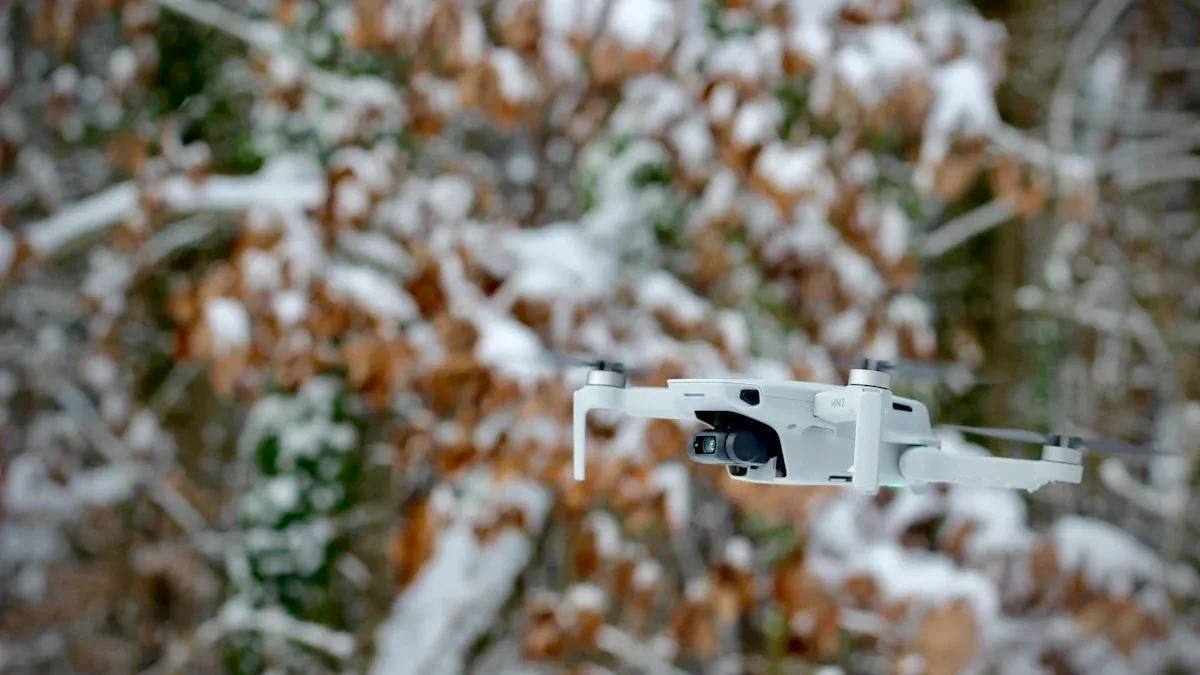
You may not know how much the environment changes your drone’s battery life. Things like weather, temperature, and moisture can affect how your drone works. They also change how long your drone stays in the air. Here are some ways to protect your battery and get more flight time.
Temperature is important for battery performance. Hot weather makes chemical reactions happen faster inside the battery. This drains power quickly and can hurt the battery cells. Cold weather slows down these reactions. The battery works less well and flight time gets shorter. Flying in very hot weather can damage the battery inside. Cold makes the battery’s electrolytes thick. Lithium ions move slower and your drone does not perform as well.
Tip: Try to fly when it is between 68°F and 72°F. This helps your battery work its best.
Moisture and sunlight can harm your battery. Water causes rust and can make short circuits. Sunlight heats up the battery and makes it lose power faster. Store batteries in a cool, dry place. Keep them away from sunlight and heat. Do not store batteries in places with high humidity. Moisture can get inside and damage the battery.
Store batteries inside.
Keep them out of sunlight.
Don’t leave them near heaters or windows.
You get the best flight time on clear, dry, calm days. Wind makes your drone work harder and drains the battery faster. Rain or snow can hurt electronics and lower performance. Hot weather makes the battery lose power quickly. Cold weather makes the battery less efficient. For longer flights, pick days with mild weather and little wind.
Callout: Good weather gives you better performance and more time in the air.
If you pay attention to these environmental factors, your drone’s battery will last longer. You will enjoy more reliable flights.
If you want to fly your drone longer, bring extra batteries. Having spares lets you keep flying when one runs out. You can swap batteries fast and get back in the air. Look at this table to see how spare batteries help you fly more:
Advantage | Explanation |
|---|---|
Extended Flight Time | More batteries let you fly longer and take more photos. |
Redundancy and Reliability | If a battery stops working, you have another one ready to use. |
Rapid Swapping | Changing batteries quickly means less waiting and more flying. |
Always watch your drone’s battery while you fly. Use the drone’s system to see battery levels in real time. This helps you stop problems before they happen. Try these smart habits:
Check your battery for damage or swelling before flying.
Watch the battery level during your flight. Don’t let it get too low.
Turn on power-saving modes to help your battery last longer.
Landing early keeps your drone and battery safe. Try to land when the battery still has at least 30% left. This gives you extra time if something goes wrong. Here are some tips:
Don’t wait until your battery is almost empty.
Land before the battery drops under 20% to keep it healthy.
Use power-saving if you see the battery draining fast.
These smart habits help your drone battery last longer. You get more time to fly and keep your battery working well.
You can help your drone battery last longer by planning your flights ahead of time. Try to carry less weight on your drone. Follow good battery care steps. Keep your drone battery cool so it works well. Charge your battery the right way. Check your battery often to make sure it is safe.
Use these habits to fly safer and stay in the air longer!
Wait at least 10–20 minutes after flying before charging. This helps your battery cool down. It stops it from getting too hot. Cooling keeps your battery working well.
No, you should not use a phone charger. Always use the charger that came with your drone. Using the wrong charger can hurt your battery. It might even cause safety problems.
Stop using the battery right away if it swells. Swollen batteries are not safe. Take it to a battery recycling center to get rid of it.
Tip: Never try to poke or fix a swollen battery!